How to Configure Slack Notification Settings and User Tagging to Reduce Slack Channel Noise
Last updated: July 3, 2025
You can control Slack notifications and user tagging behavior through two different configuration areas in Rootly.
Organization-wide Slack Settings
To configure organization-wide notification settings:
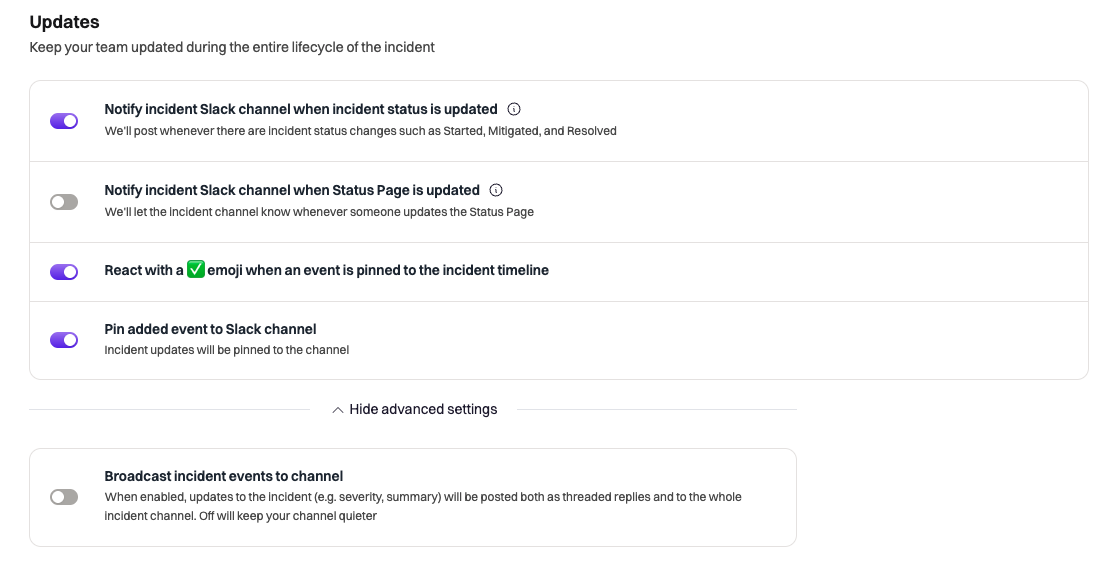
Go to Configuration > Slack
Scroll to the Updates section
Toggle the notification types you want to enable/disable (ensure to also check under advanced settings)
Individual User Notification Preferences
To control personal notification and tagging preferences:
Select your organization from the top left dropdown
Go to Account Settings > Notifications
The bottom two options tag users for incident related events:
When your user appears in the initial incident message mention your user (ex. @rootly_bot)controls "@" mentions in initial incident messageWhen your user appears in Slack incident events mention your user (ex. @rootly_bot)controls "@" mentions for incident events
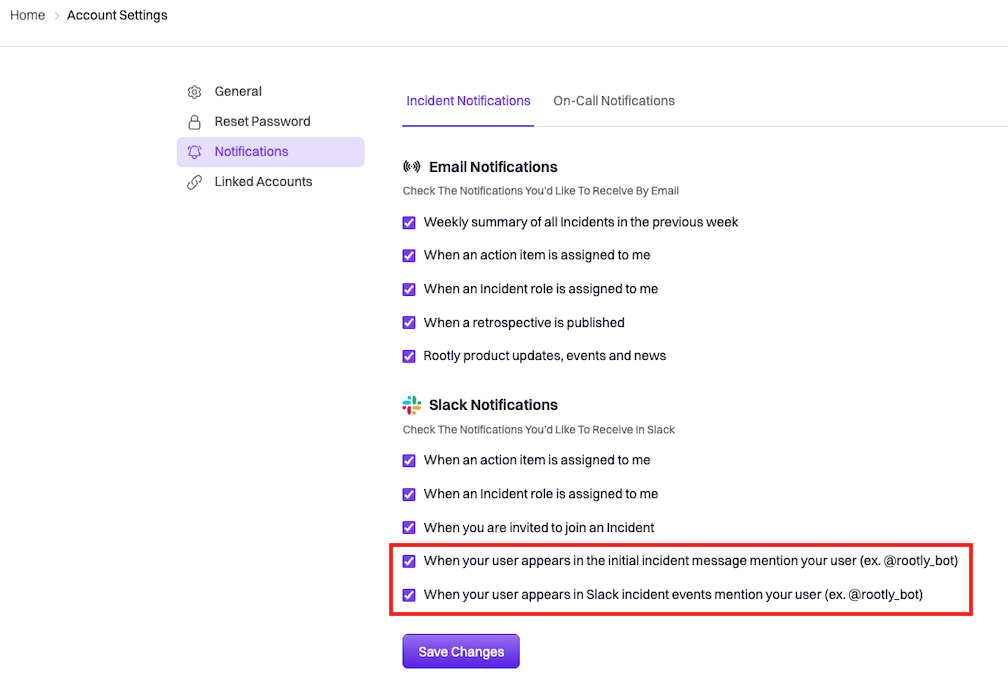
Note: User notification preferences are configured at the individual level. Each team member will need to update their own settings to reduce mentions.